
Background music that talks to your visitors.
A relaxed station for your lobby or waiting room, with short messages between songs about check-in, new services and office hours, plus the latest news or weather update from the web.
What gets in the way.
Silence makes the wait feel longer
A quiet room makes every minute drag.
Signs get ignored
Check-in steps and new services are posted on the wall, but visitors are looking at their phones.
Messages go out of date
A recording from last season keeps playing long after it’s wrong.
Built for offices, lobbies and waiting rooms.
A relaxed format
Build a calm clock with a short message after every few songs, so visitors hear what matters without it getting repetitive.
Messages you can update in a minute
Record a new message on the iPad when something changes, then pick it in the clock.
Fresh news and weather from the web
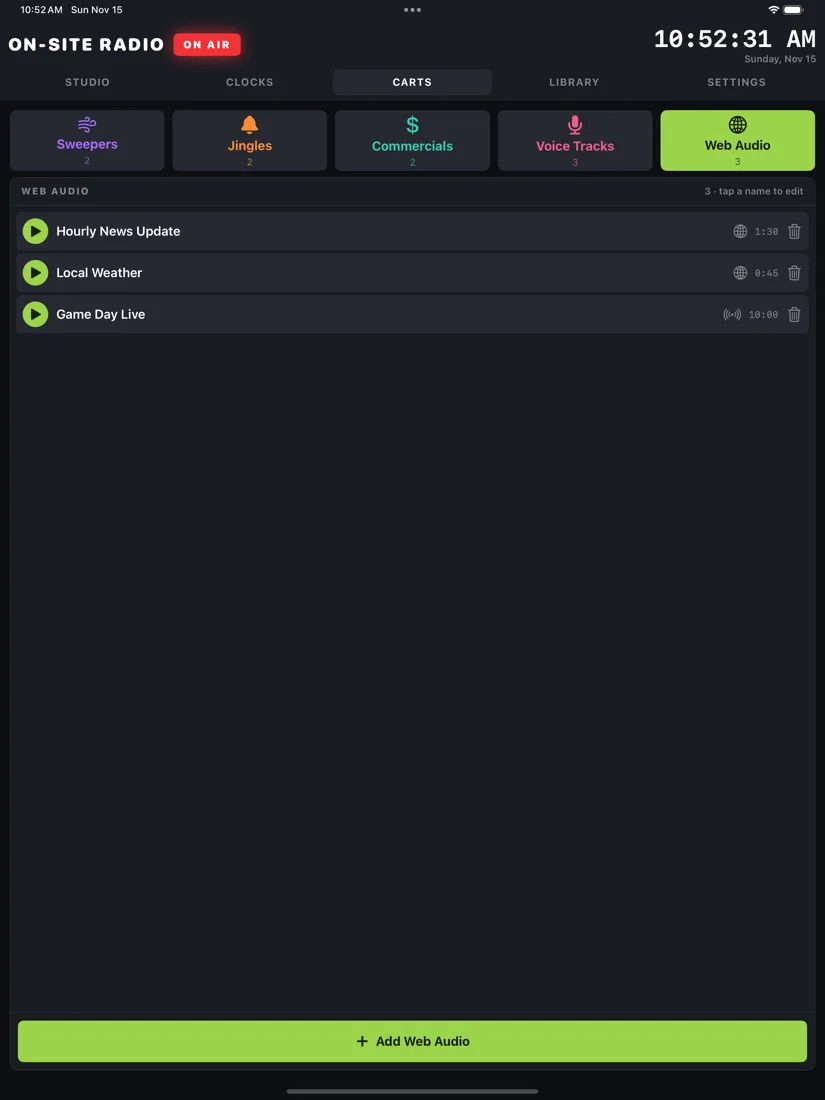
Add Web Audio from a web address, such as a news or weather update that’s refreshed online. It plays the latest version each time it airs.
Runs all day
It builds the log as it goes and picks up where it left off after a restart.
Example log. Station and song names are made up.
Check music licensing first. Playing music for customers or guests usually needs a public performance license, and personal streaming subscriptions such as Apple Music are generally for personal use only. On-Site Radio doesn’t include any music licenses, so check what’s required where you are before you go on air.
What people ask.
What is Web Audio?
A cart that plays from a web address each time it airs, like a news or weather update that’s replaced online, or a live stream. It needs an internet connection; without one, it’s skipped and the music keeps playing.
Can I keep the volume low and steady?
Yes. Song files and messages are leveled to the same target, so nothing jumps out.
Does it need a computer?
No. It runs on an iPad or iPhone connected to your speakers.
One app, a lot of stations.
Shops and boutiques
In-store radio with your own announcements between the songs.
See how it worksSalons and barbershops
A steady soundtrack for the chair, with booking and product reminders.
See how it worksRestaurants and cafés
Music that fits the meal, with your specials between songs.
See how it works
Ready to go on air?
On-Site Radio is on the App Store now for iPad, iPhone and iPhone Duo. $29.99, one-time purchase.