
A station for your restaurant.
Mellow mornings, a livelier lunch and dinner music that fits the room, with today’s specials, happy hour and upcoming events announced between songs.
What gets in the way.
One mix from open to close
Breakfast, lunch and late night call for different music, but changing it means someone stepping away from the floor.
Specials go unheard
The board by the door can’t reach a guest who’s already seated.
Volume jumps
One track is quiet and the next is loud, so staff keep reaching for the volume.
Built for restaurants and cafés.
Music by the time of day
Use a calm clock for breakfast, a brighter one for lunch and a dinner format in the evening, set by the hour for each day of the week.
Specials on schedule
Record today’s special at the counter and drop it into the hour’s break, or import produced spots for happy hour and events.
Even volume
Song files, jingles and announcements are leveled to the same target, so nothing jumps out. Apple Music songs play at their own level.
Hands-free during service
Start it before you open. Staff can stop or skip from the Lock Screen or Control Center without opening the app.
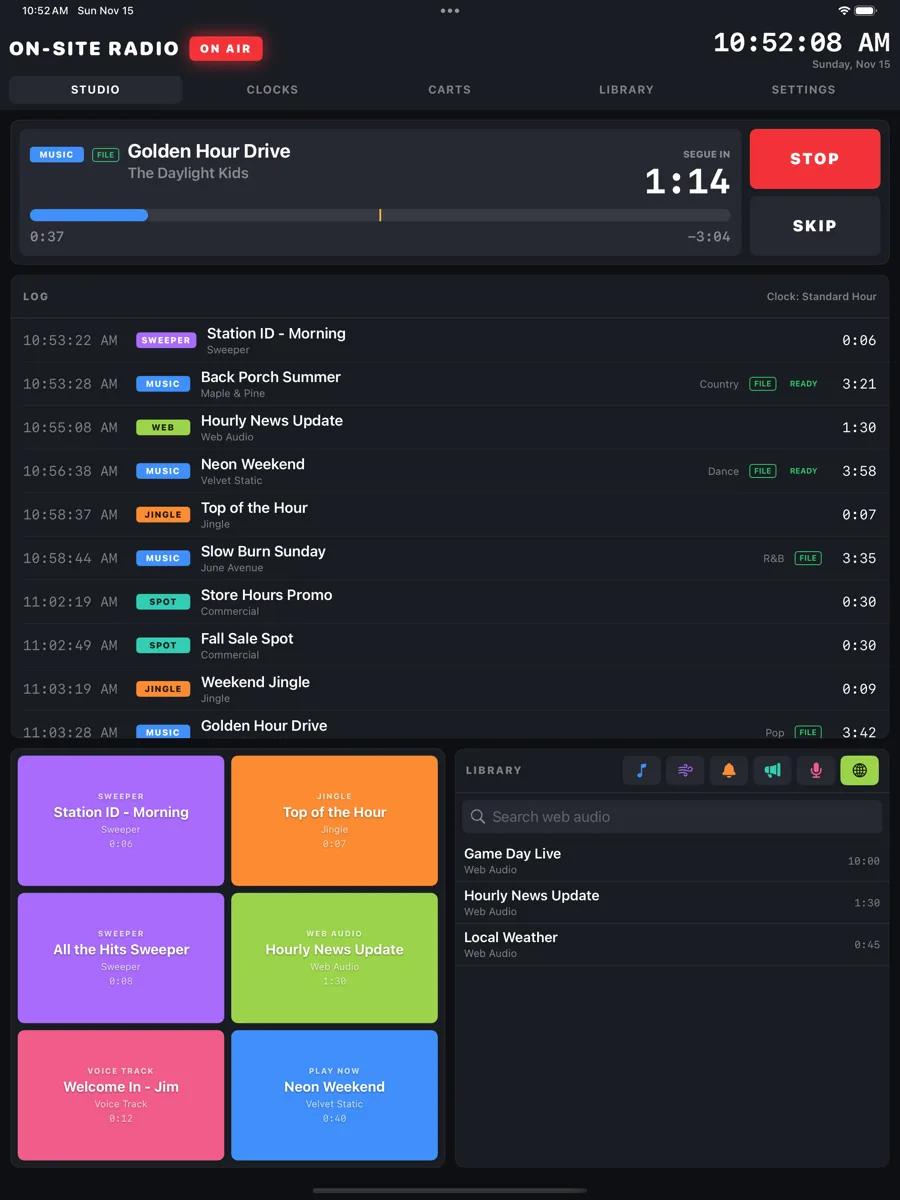
Example log. Station and song names are made up.
Check music licensing first. Playing music for customers or guests usually needs a public performance license, and personal streaming subscriptions such as Apple Music are generally for personal use only. On-Site Radio doesn’t include any music licenses, so check what’s required where you are before you go on air.
What people ask.
Can I change the music for dinner?
Yes. Make a dinner clock and choose it for the evening hours in the Clocks tab. You can set different hours for each day of the week.
Do I need someone to run it?
No. Once it’s started, it builds the log and plays it on its own.
Can it use our own songs?
Yes. It plays the songs in your device’s Music library, including song files you own and Apple Music songs.
One app, a lot of stations.
Shops and boutiques
In-store radio with your own announcements between the songs.
See how it worksSalons and barbershops
A steady soundtrack for the chair, with booking and product reminders.
See how it worksEvents and tailgates
Fundraisers, car shows and tailgates with sponsor thank-yous between songs.
See how it works
Ready to go on air?
On-Site Radio is on the App Store now for iPad, iPhone and iPhone Duo. $29.99, one-time purchase.